If your VPS is down/offline, you can start it using Virtualizor.
1. Log in to your Virtualizor Control Panel.
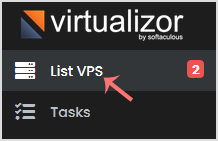
2. In the left side panel, click on List VPS.
3. Hover your mouse on the appropriate VPS, and that line will be highlighted. Then click on the Manage icon in the highlighted line.

4. On the top right side, click on the Start icon.

It can take a few minutes for your VPS to start.
